Tributary Area to a Node in SWMM 5 or InfoSWMM
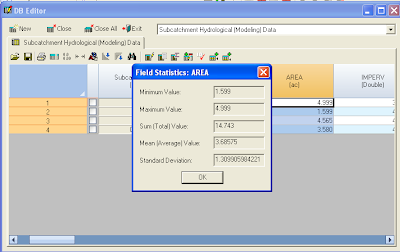
Note: Tributary Area to a Node in SWMM 5 or InfoSWMM Here are the steps you neeed to take to calculate the tributary area of a node in InfoSWMM : Step 1: Use the DB Editor to get the total area in your model using the Data Statistics Tool. Step 2: Use the Process options in InfoSWMM to ONLY simulate surface runoff and flow routing. Step 3. Copy the Node name and Total Inflow Volume from the Juntion Summary Output Table to Excel Step 4: Find the Total Wet Weather Flow during the simulation from the Wet Weather Inflow Row in the Flow Continuity Table. Dry Weather Inflow 0.000 0.000 Wet Weather Inflow 0.782 0.255 Step 5. Make a new column in Excel to calculate the tributary area . The Tributary Area of a Node = Total Inflow Volum...